
METAFLOW
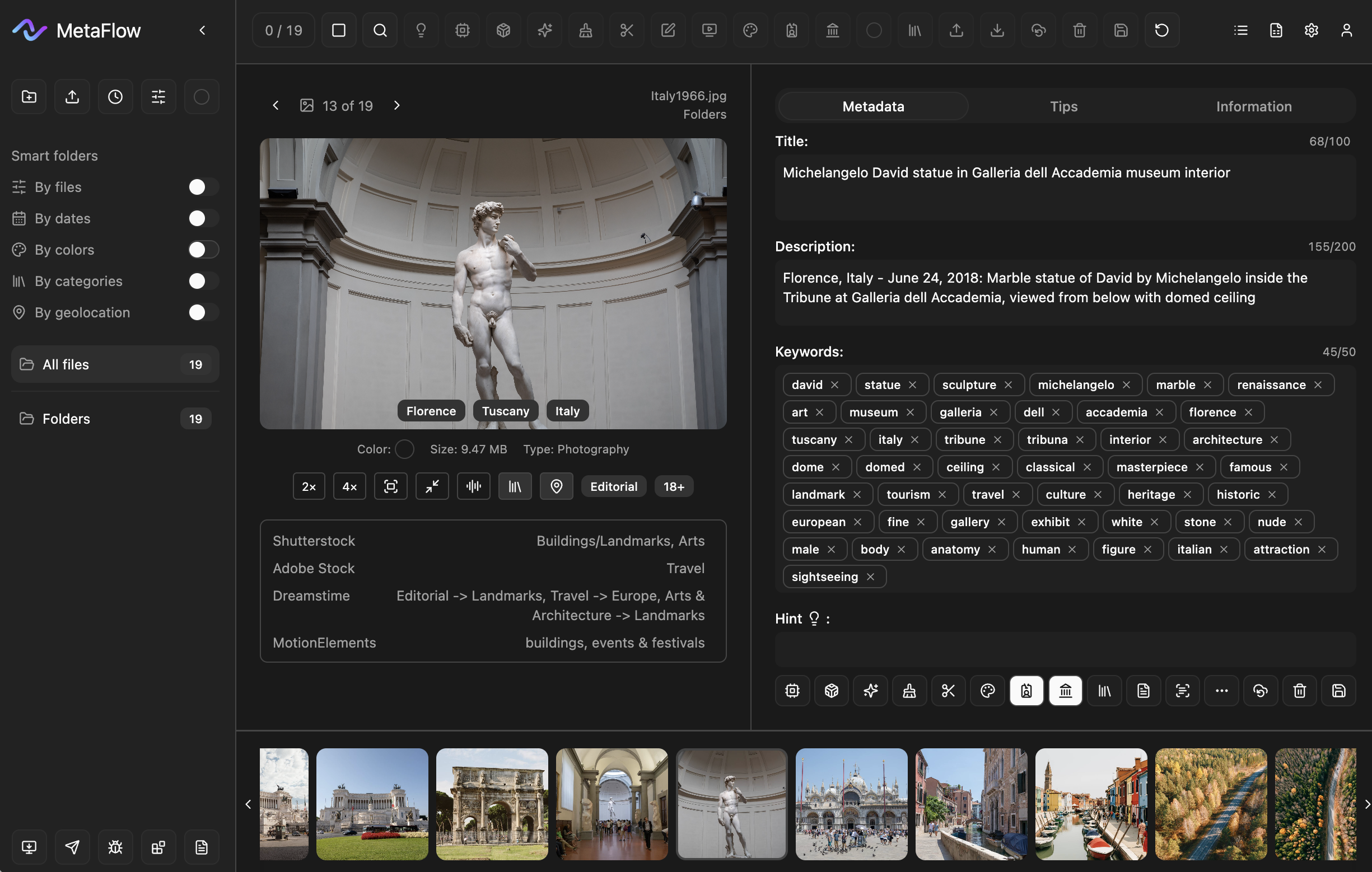
AI METADATA.
One APP.
ALL FUNCTIONs.
READY FOR STOCKS
〰️
Adobe Stock
〰️
Shutterstock
〰️
Freepik
〰️
Storyblocks
〰️
Getty Images
〰️
Envato
〰️
Canva
〰️
Pixta
〰️
Dreamstime
〰️
MotionElements
〰️
Pond5
〰️
READY FOR STOCKS 〰️ Adobe Stock 〰️ Shutterstock 〰️ Freepik 〰️ Storyblocks 〰️ Getty Images 〰️ Envato 〰️ Canva 〰️ Pixta 〰️ Dreamstime 〰️ MotionElements 〰️ Pond5 〰️
Welcome to the world of metadata
Automatic title, descriptions, keywords, location, categories for your files
-
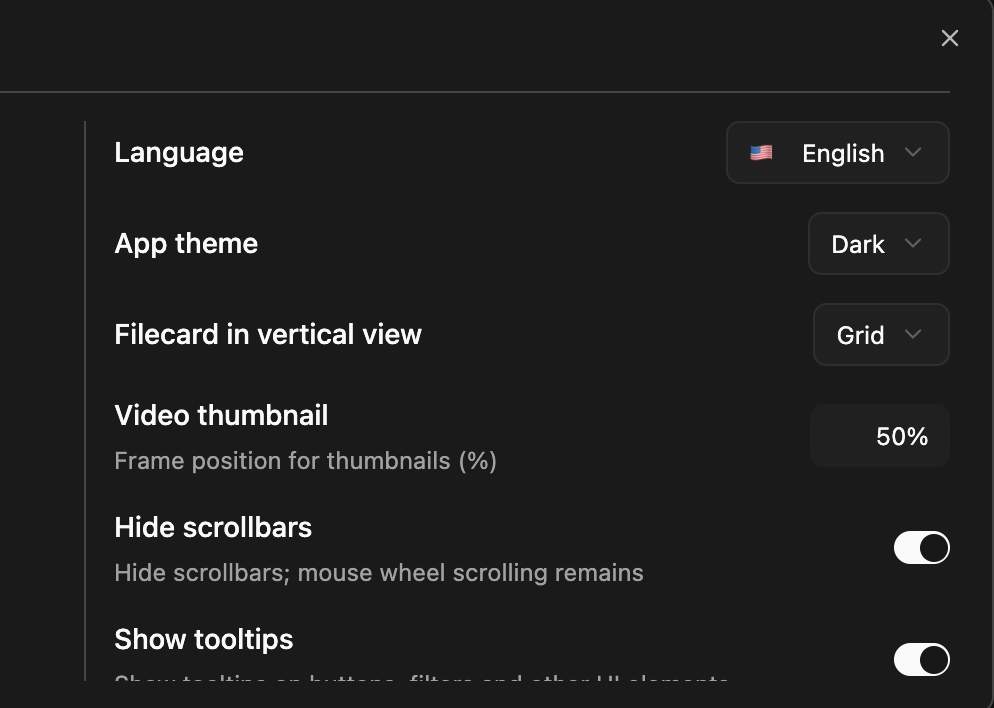
Flexible settings APP
24 UI languages, token and generation settings, forbidden symbols, dictionary, and validation rules
-
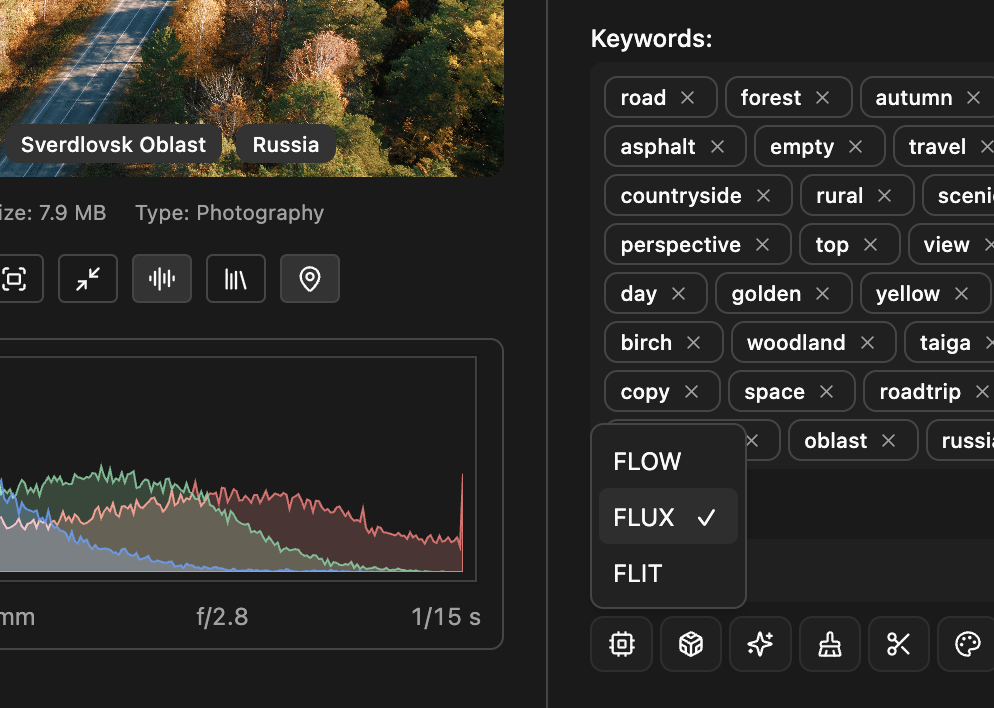
Three models, 14 styles
FLOW, FLUX, or FLIT for speed vs quality, and one of 14 style presets so metadata matches your photos and videos
-
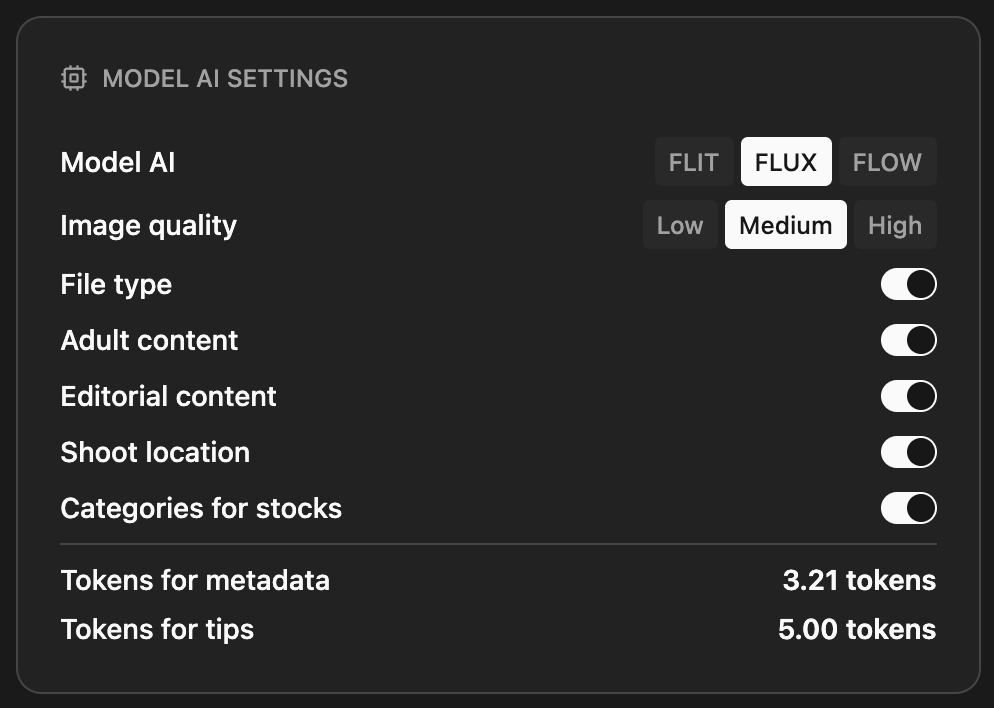
Beyond basic metadata
AI detects content type, 18+ flag, editorial use, and stock categories so your files meet platform rules without manual tagging
-
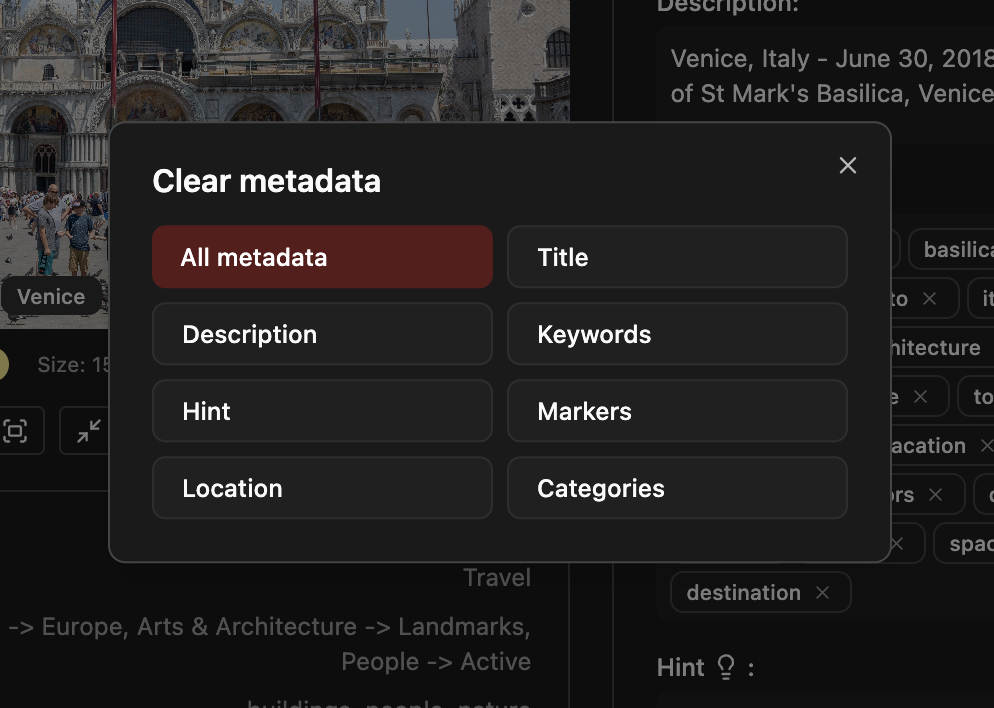
Edit, clear, generate
Edit, clear, generate with AI in one click, then edit again. Shortcuts and buttons keep the workflow fast and clear
-
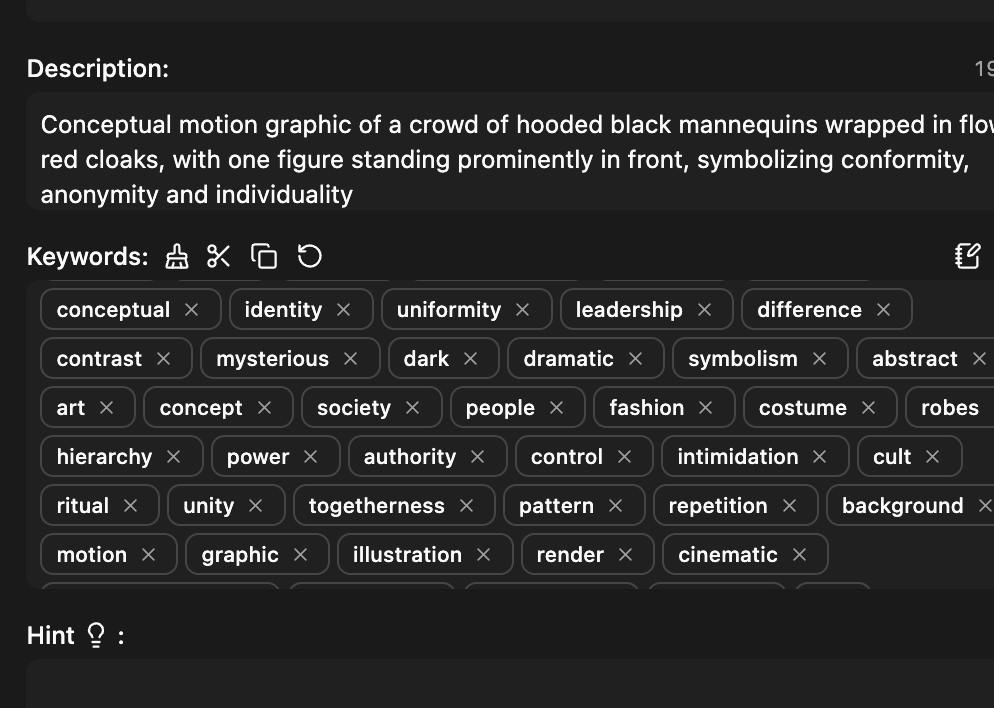
Shortcuts
Each field has its own shortcut. Move between fields and run actions (clear, trim keywords, copy, undo) for a faster workflow
-
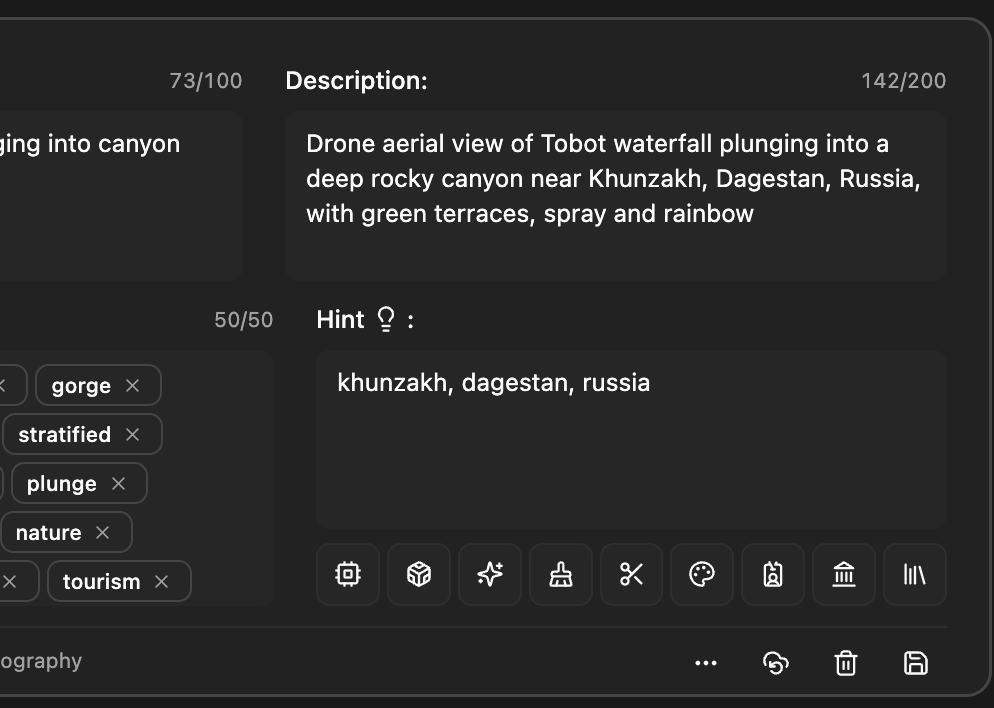
Hint
Short hint for AI: can be turned on or off in settings and is filled automatically when adding files (location, folder name, or file name). The model uses this hint when generating metadata
-
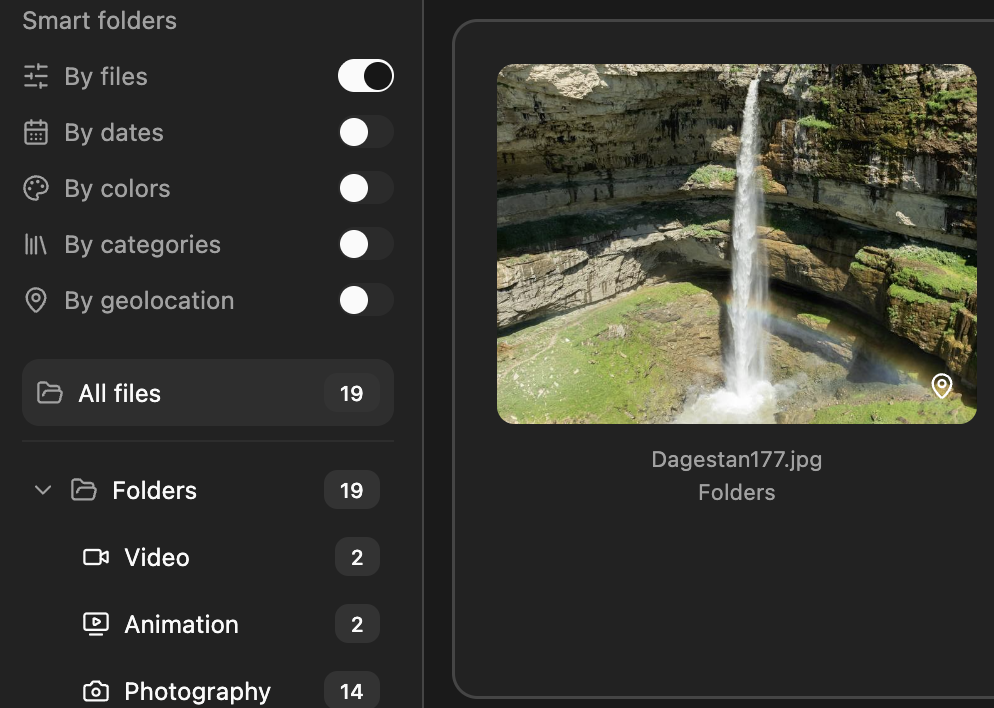
Smart folders
Five modes: by file type, date, color, category, and geolocation. Toggle on in the sidebar, filter in one click — no manual folder management
-
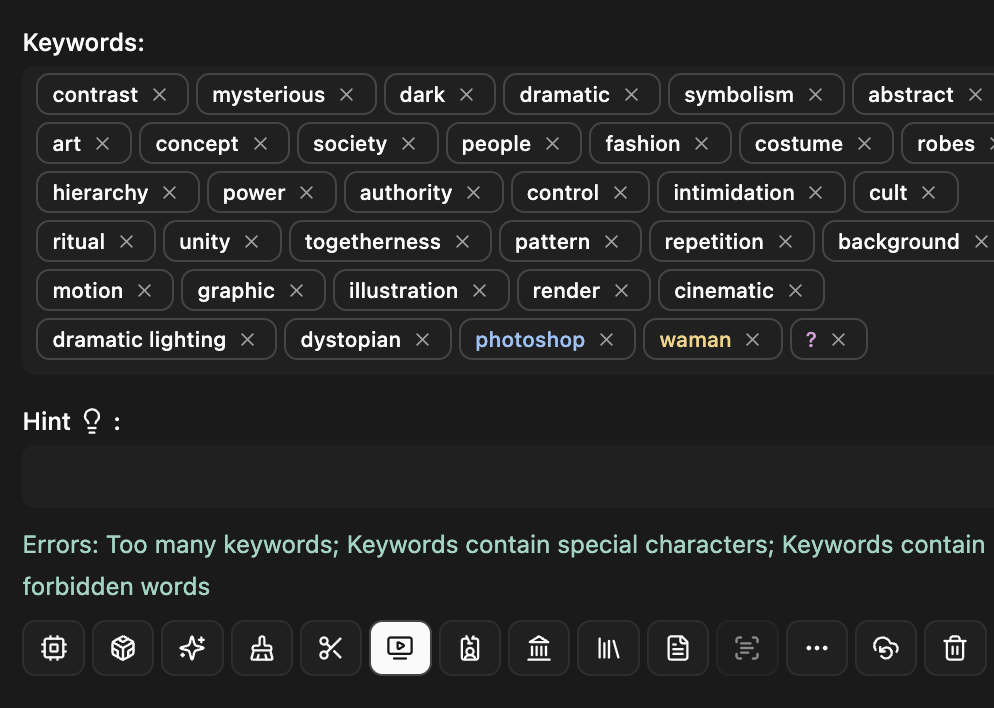
Errors
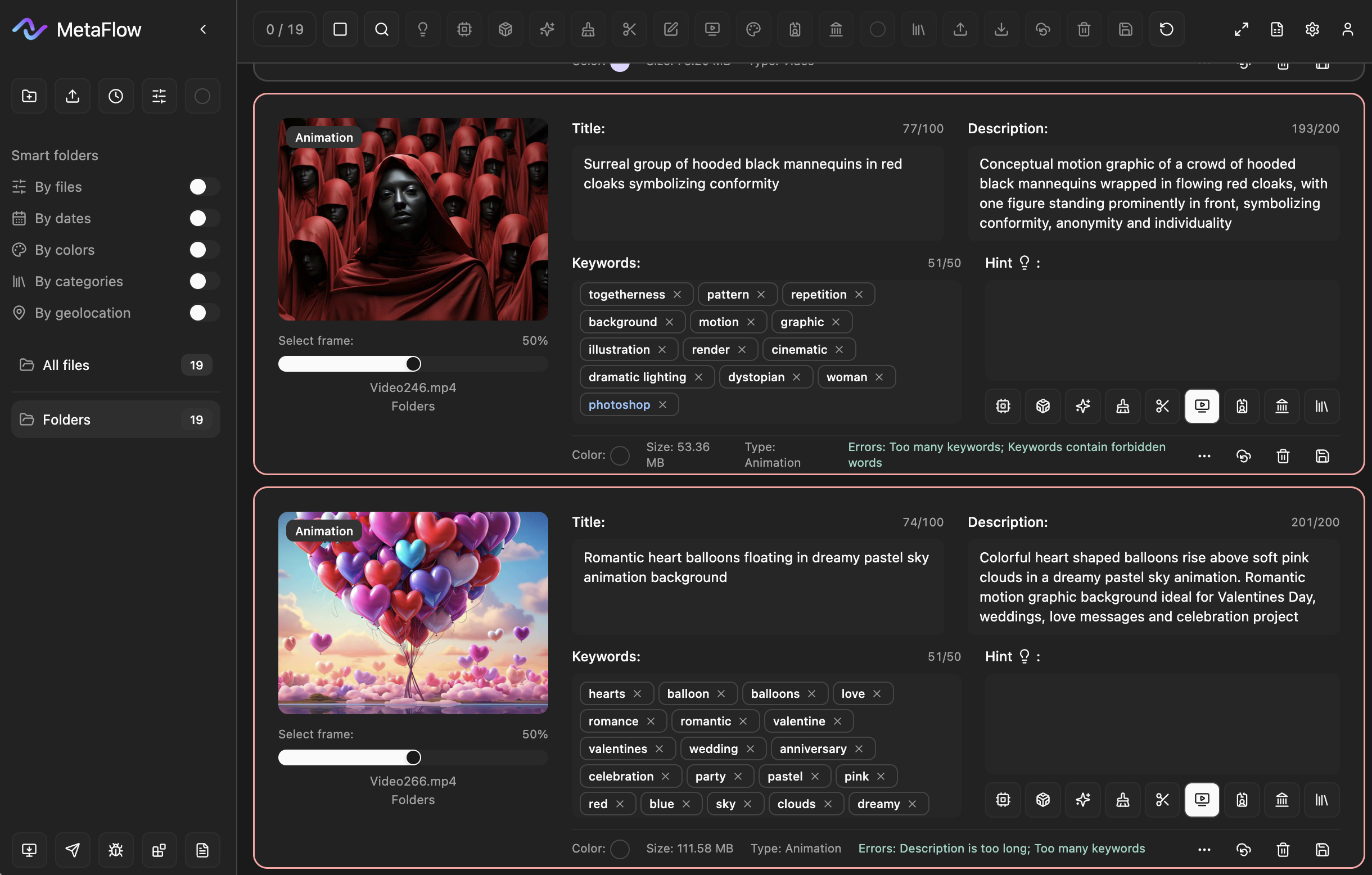
Title and description length, keyword count, forbidden words, and special characters are checked in real time. Errors appear under the fields so you can fix them before export
-
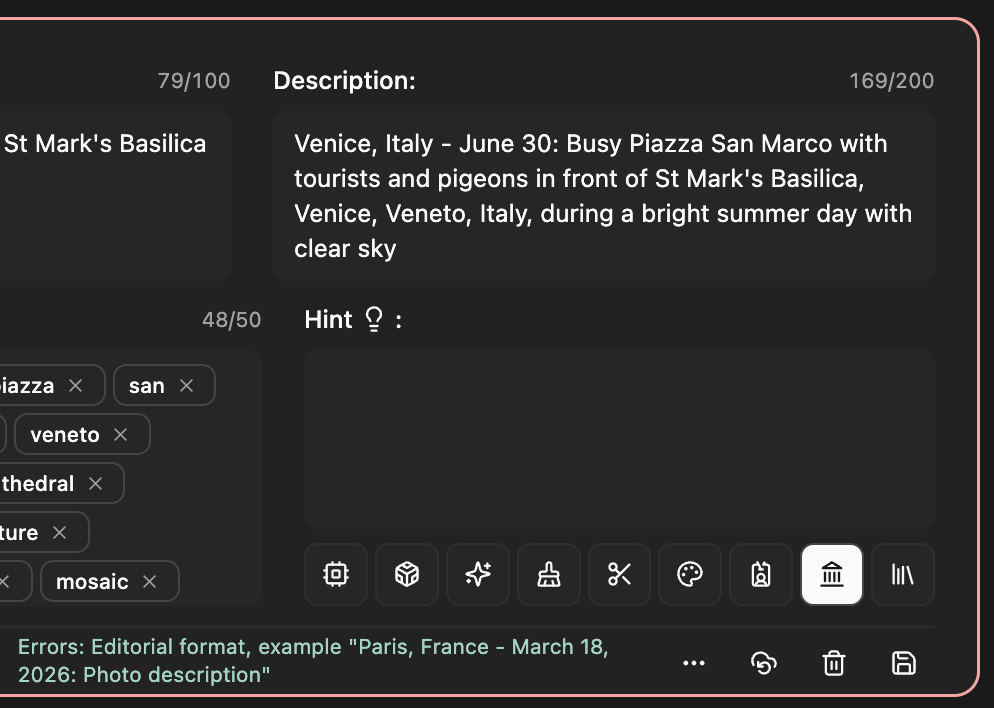
Editorial prefix
When a file is marked as Editorial, the description gets an automatic prefix (city, country, date) and is checked against the editorial format. If it doesn’t match, an error and an example of the correct format are shown under the field
-
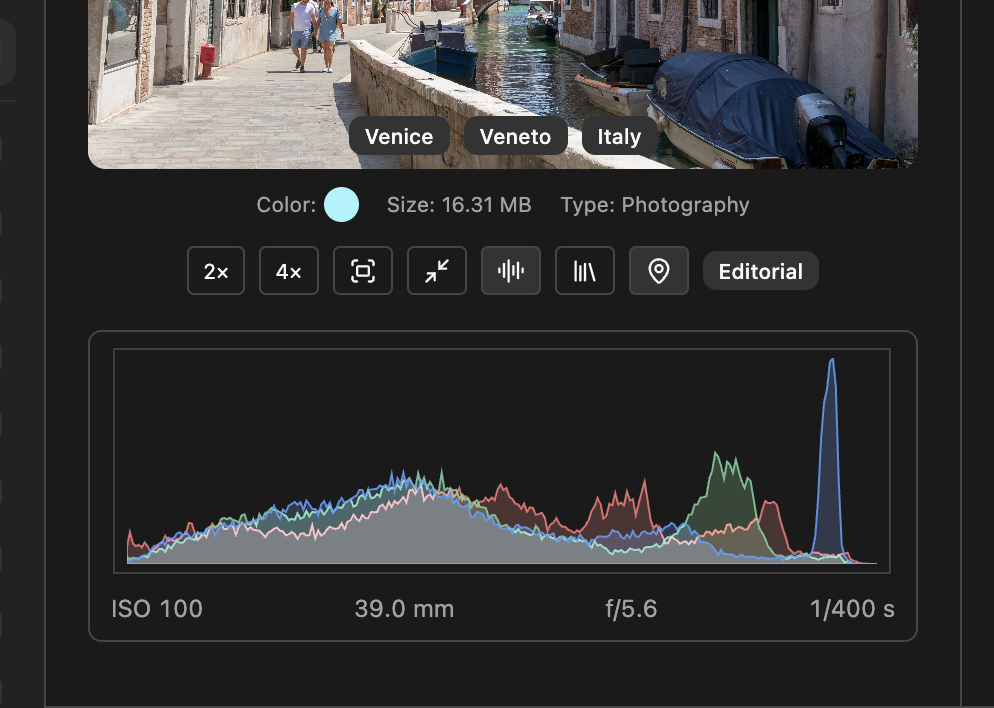
Zoom, histogram, markers and more
Zoom 2х, 4х, and original under the preview; RGB histogram; Categories for stocks; Markers: file type, 18+ and editorial - toggle with one click
-
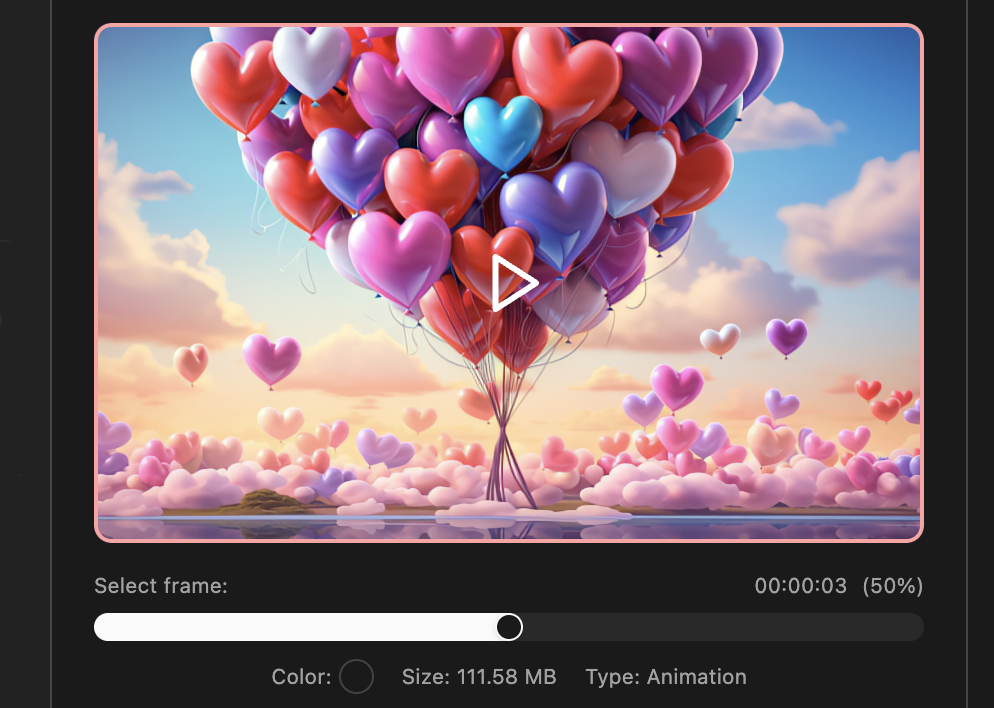
Video
Play video in the preview; use the frame slider to pick a moment (time and %). The selected frame is used for AI analysis and metadata generation; you can extract and save that frame
-
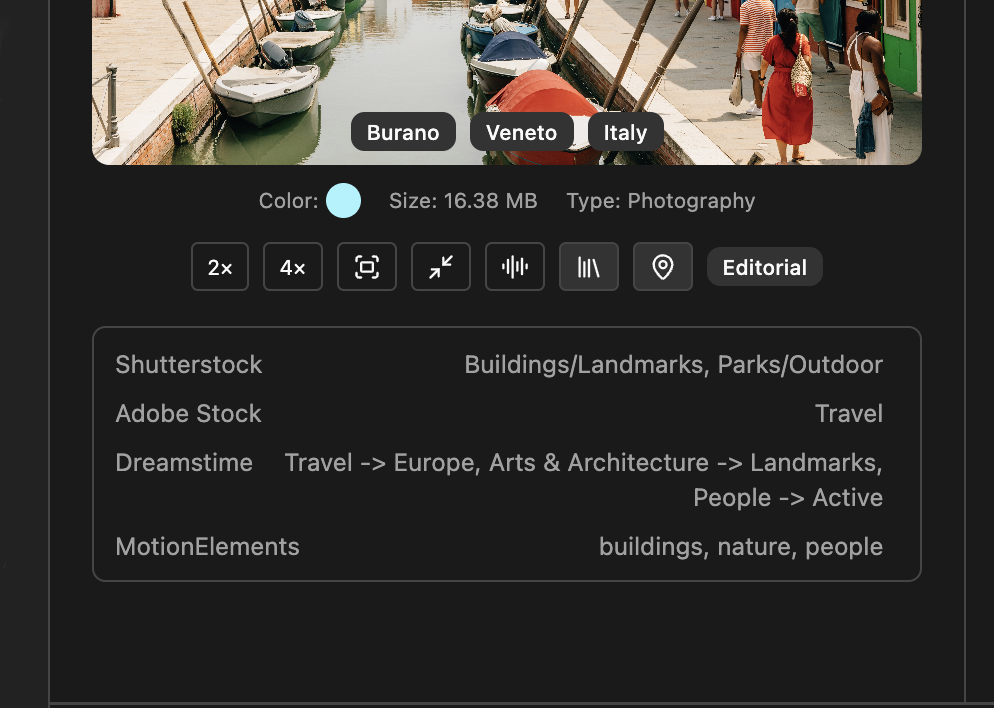
Save to EXIF
Selected marks, color label, location tags, and stock categories are written to the file’s EXIF/XMP. When you open the file again, they are read back so tags, color, and categories stay in sync
-
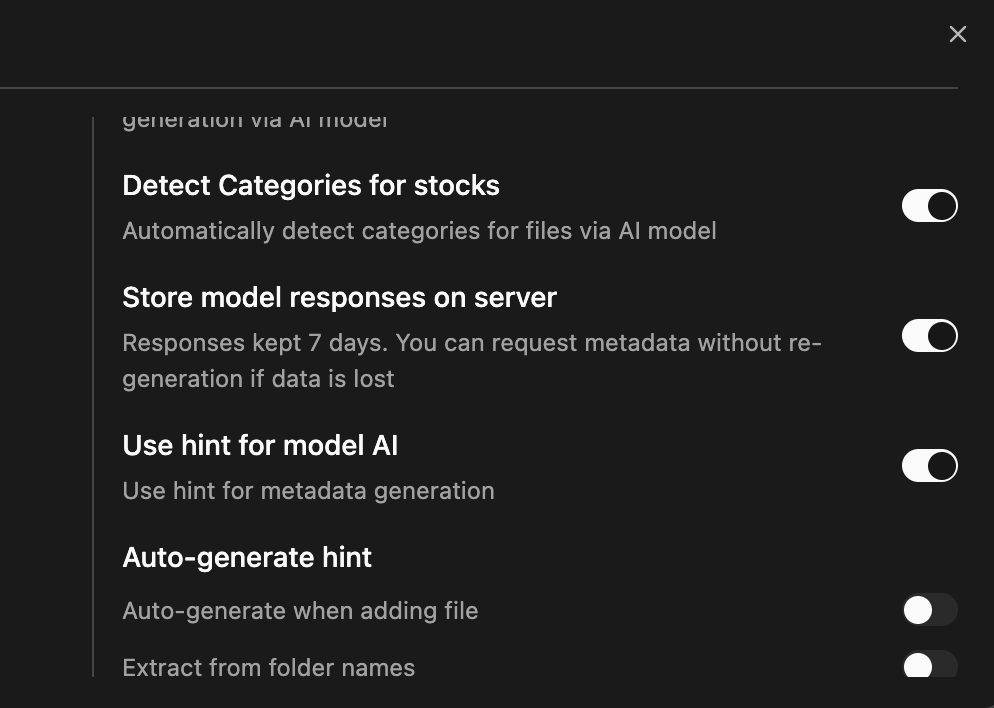
Store results on server
Optionally save AI model responses on the server (7 days). If data is lost or never saved, you can retrieve metadata from the server at no extra cost, without re-running generation
-
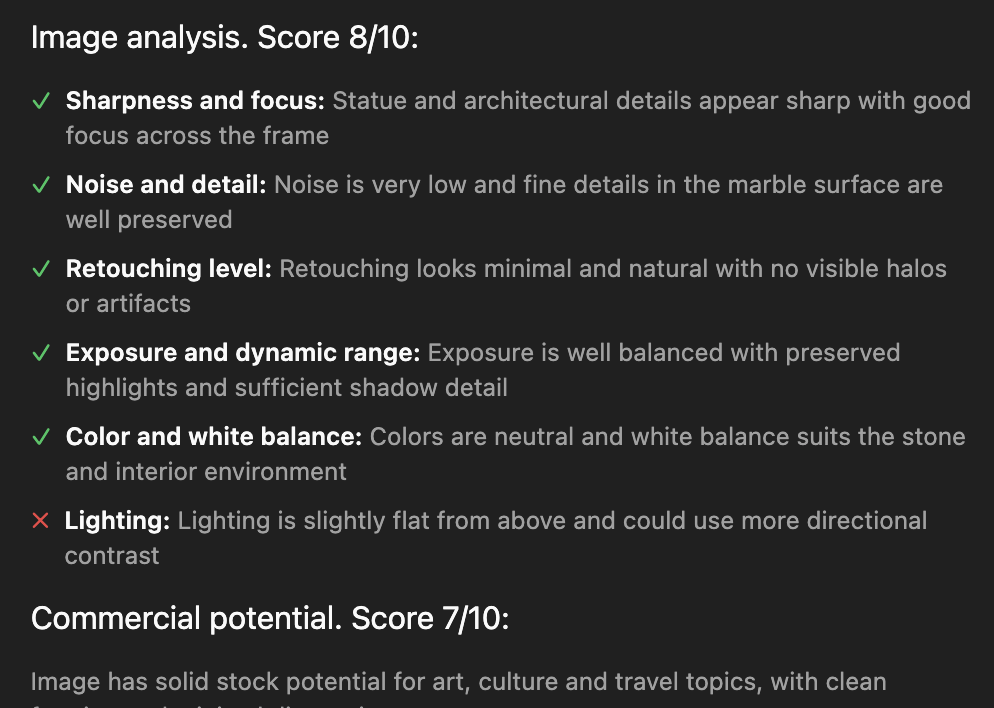
image tips
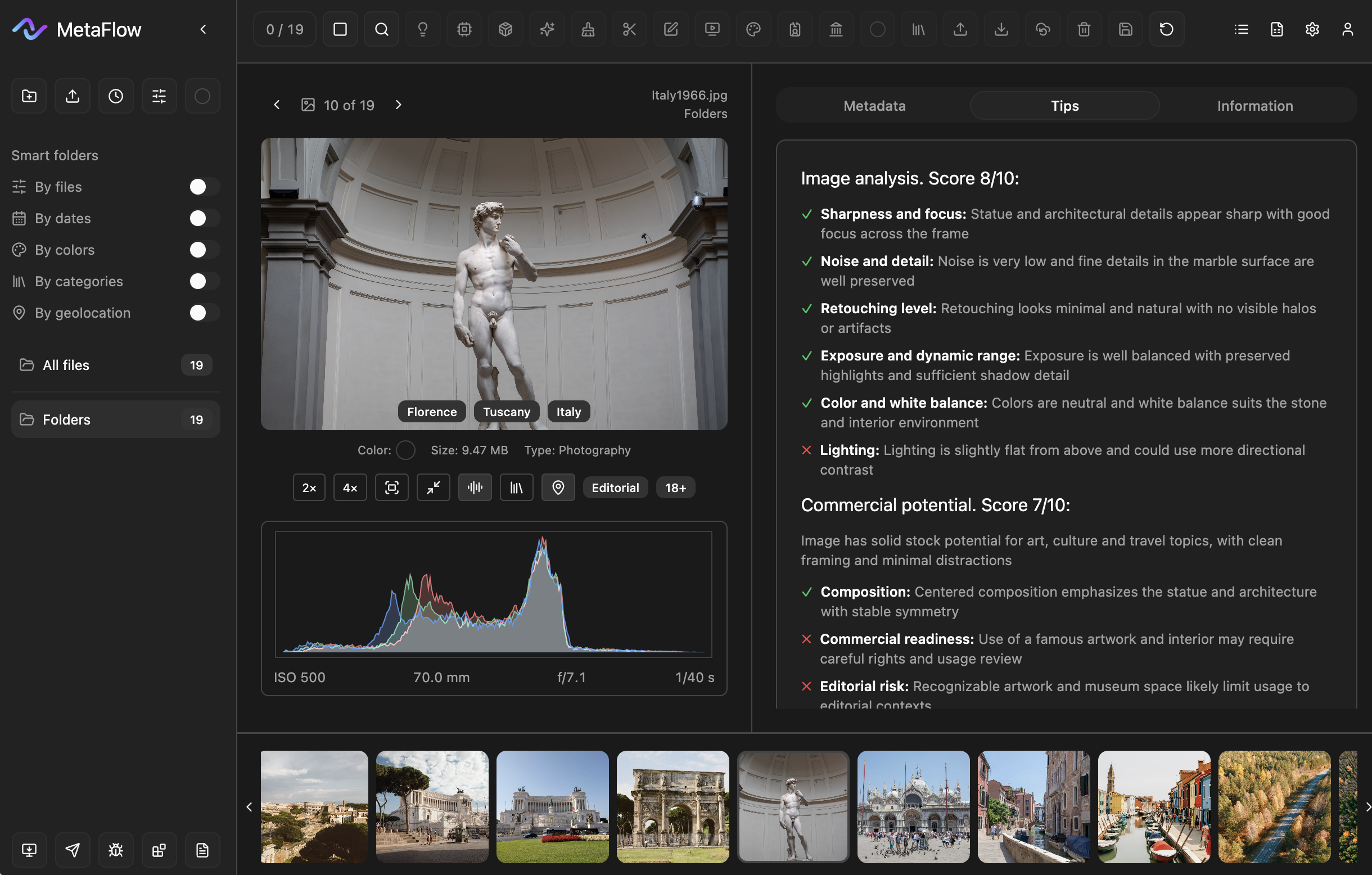
Two blocks: technical analysis (sharpness, noise, exposure, lighting, etc.) and commercial potential. Score out of 10 and short notes per criterion in the Tips tab in detail view
-
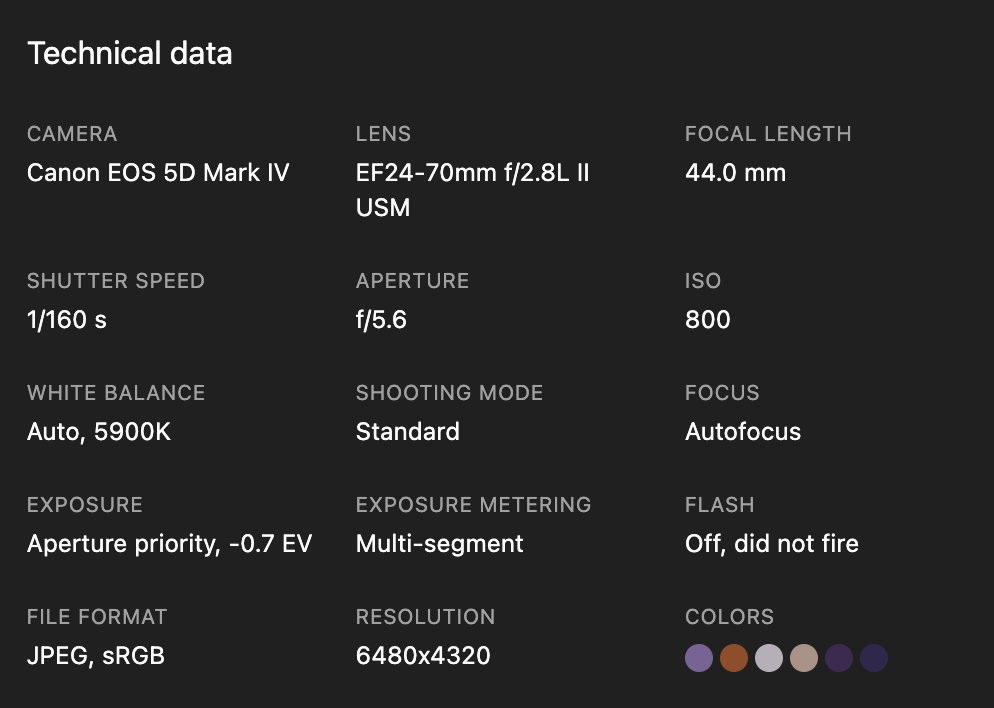
EXIF
Camera, lens, shutter speed, aperture, ISO, white balance, focus, exposure, resolution, and more are read from the file and shown in the Information tab
-
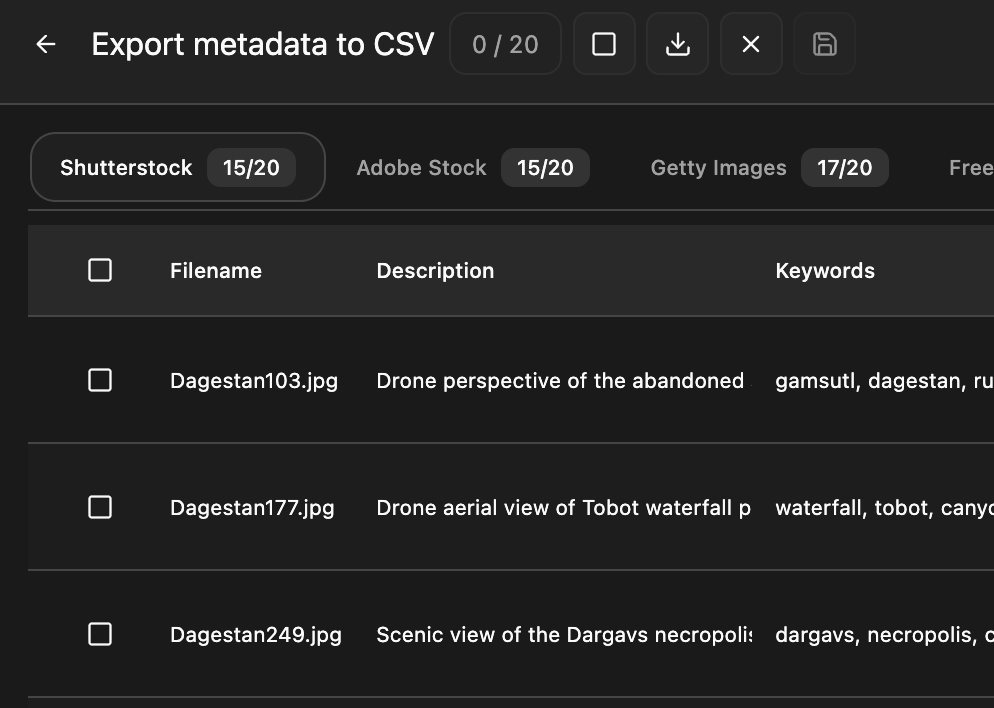
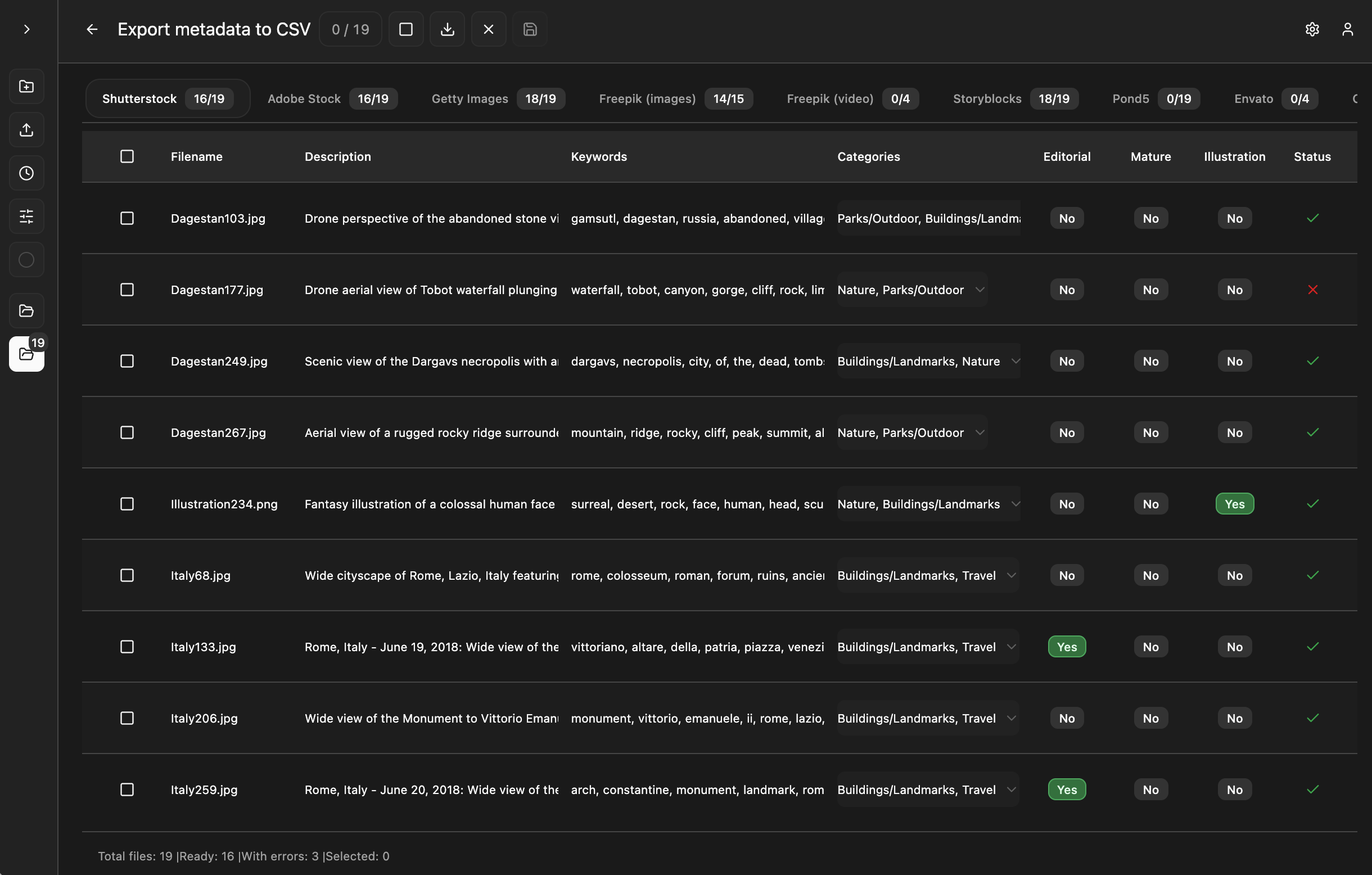
CSV for stock SITES
Export to CSV for Shutterstock, Adobe, Freepik, Getty and more. Validation, defaults values, and smart rules keep uploads clean
Trial period — 7 days
〰️
20 free tokens
〰️
PLAN START FROM 12$
〰️
Trial period — 7 days 〰️ 20 free tokens 〰️ PLAN START FROM 12$ 〰️
AI META. View. MARKS. SMART. TIPS. CSV And more
-
![Aerial view of a winding asphalt road through a mixed autumn forest in Sverdlovsk Oblast, Russia, with golden birch and dark pine trees.]()
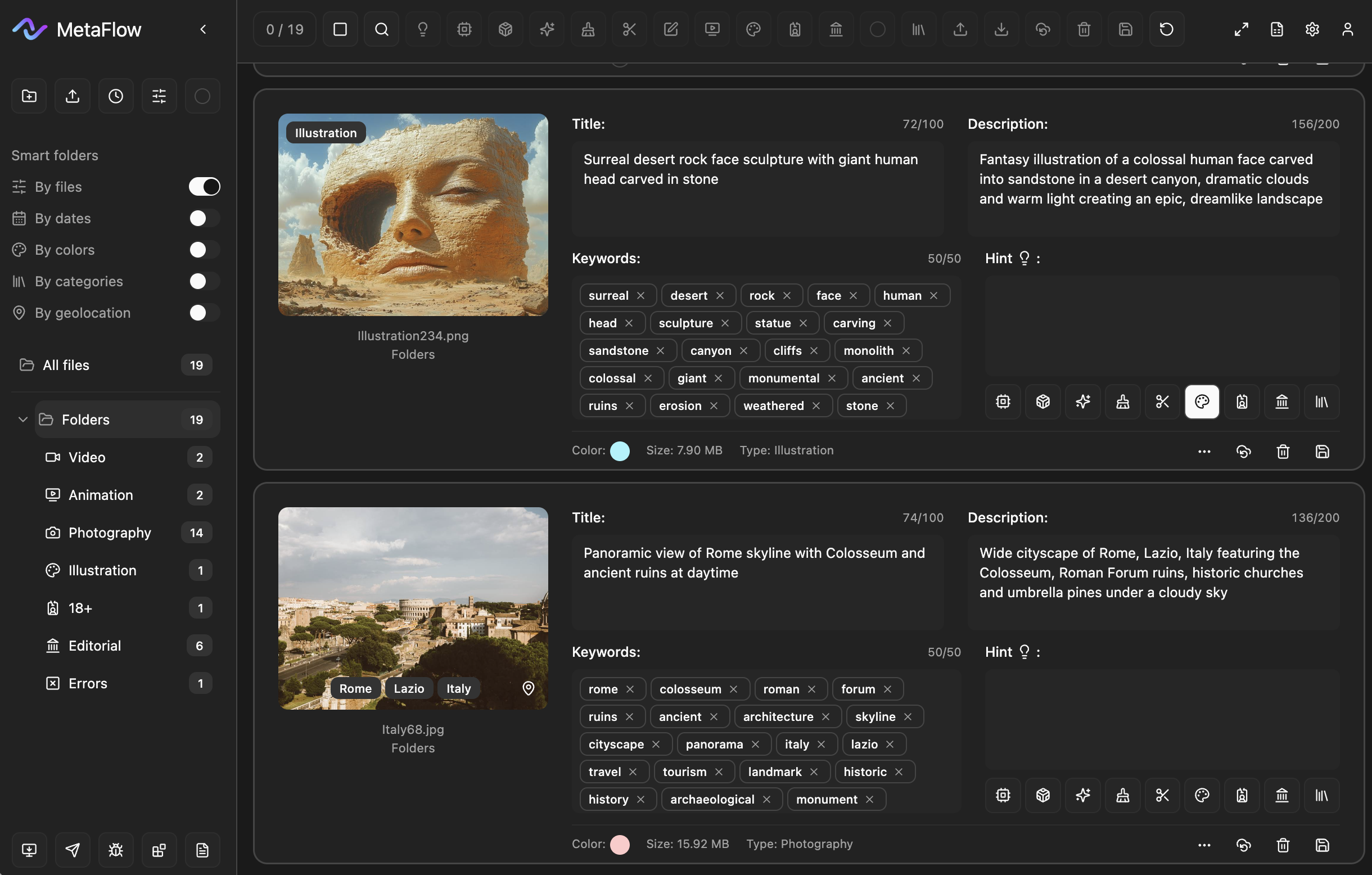
Smart By files
Group and filter by type: video, animation, photography, illustration, 18+, editorial, errors. The sidebar shows how many files are in each category; choosing a category shows only those files
-
![A screenshot of a digital video editing software interface showing two thumbnail images of romantic scenes with two women in an intimate setting, describing close-up shots in candlelit interiors. The interface includes metadata such as titles, descriptions, tags, and file information.]()
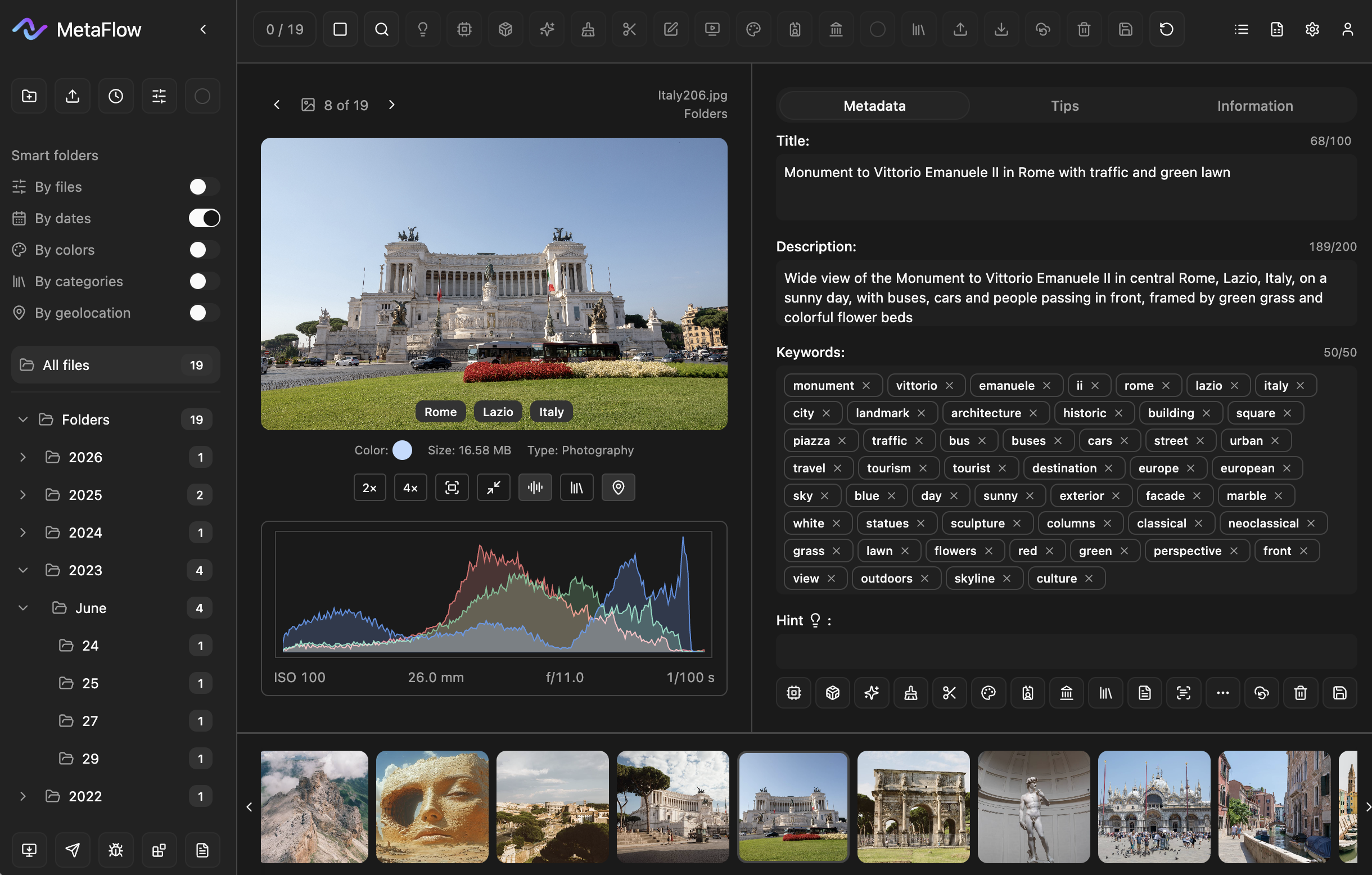
Smart By dates
Filter by date: files are grouped by year, month, and day. The sidebar shows a tree with the number of files in each period; selecting a period shows only files from that date
-
![Aerial view of an autumn forest near Krasnопole, Russia, with a dirt road visible through the trees.]()
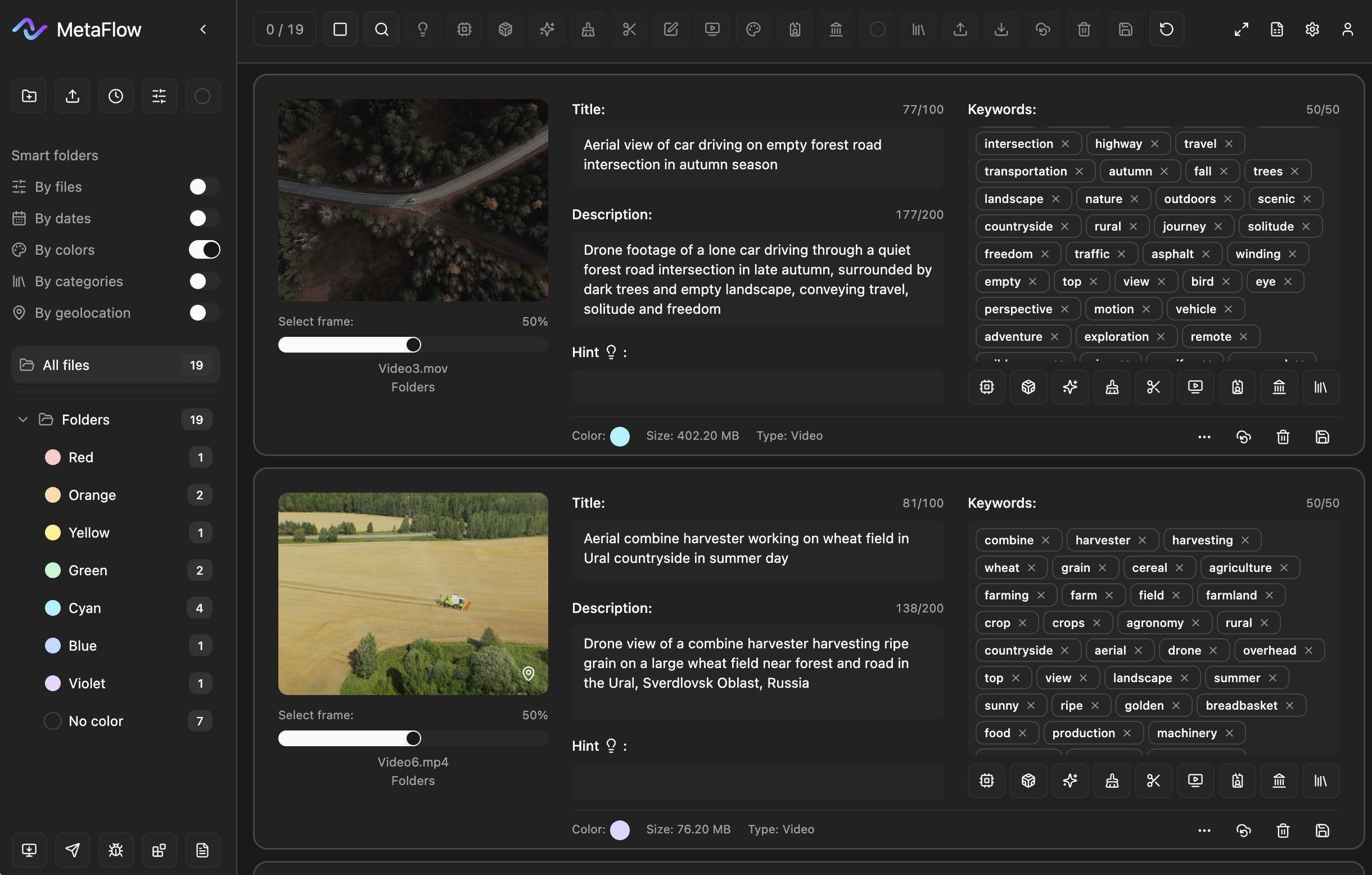
Smart By Colors
Group and filter by color labels; the sidebar lists colors and how many files each has. Choosing a color shows only those files. Color names can be changed in the app settings
-
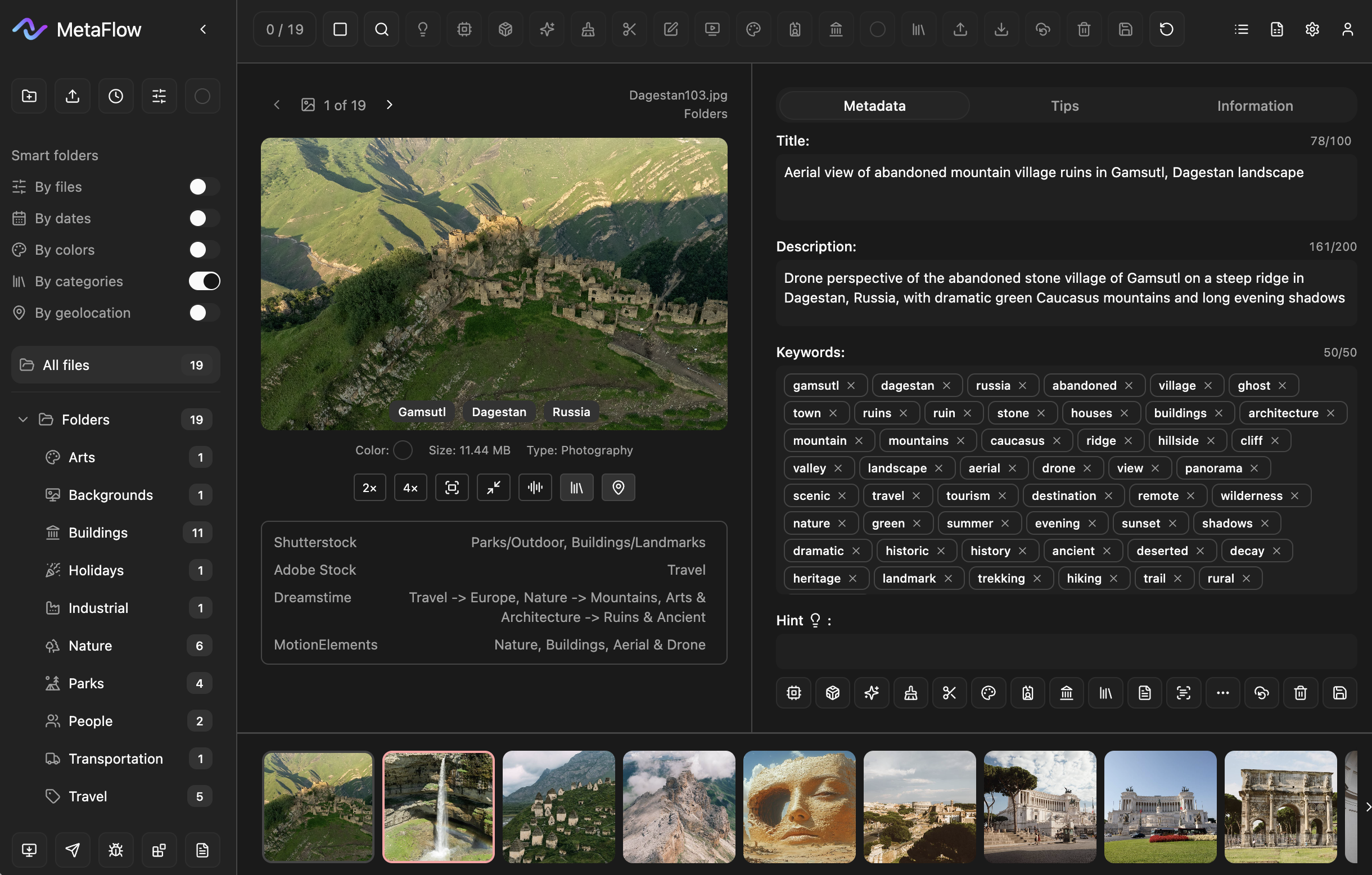
![Aerial shot of abandoned stone village ruins on a mountain ridge in Dagestan, Russia, surrounded by green Caucasus slopes and valleys at sunset.]()
Smart By categories
Group and filter by stock categories; the structure is based on Shutterstock categories (Arts, Buildings, Nature, Travel, etc). The sidebar shows the category list and how many files are in each; choosing a category shows only those files
-
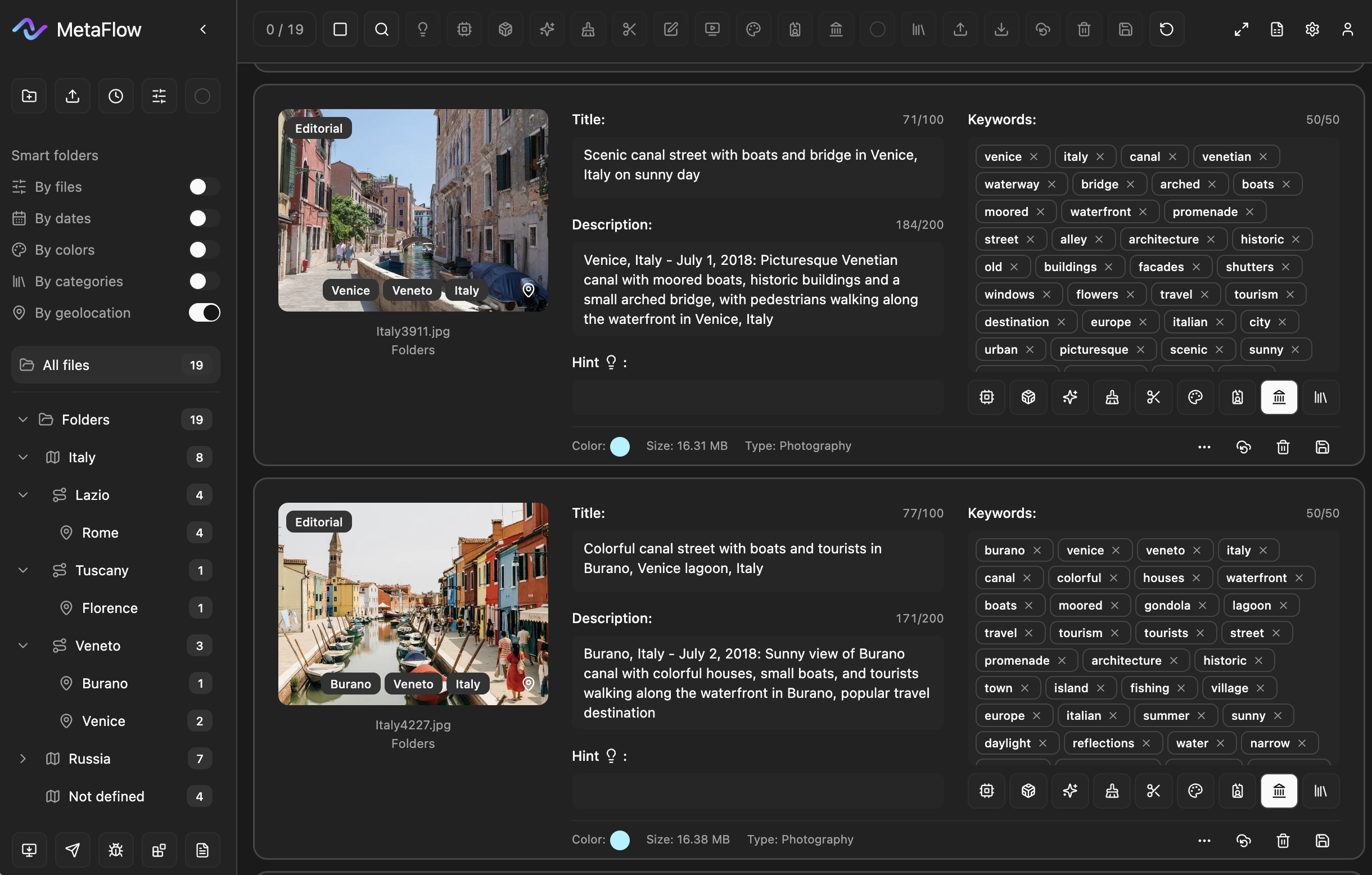
![Photographs showcasing scenic canal streets with boats and colorful buildings in Venice, Italy, one with historic architecture and pedestrians, another with small boats and tourists in Burano, Italy.]()
Smart By geolocation
Filter by shoot location: country → region → city. Location comes from GPS (EXIF) or is detected by AI. The sidebar shows a tree with the number of files per location; selecting an item shows only files from that place. Location tags appear on each card.
-
![The system checks title and description length, keyword count, and forbidden words or characters in keywords, and editorial prefix when needed. Errors are shown under the fields (e.g. “Too many keywords”, “Description is too long”, “Keywords contain]()
Error checking
The system checks title and description length, keyword count, and forbidden words or characters in keywords, and editorial prefix when needed. Errors are shown under the fields (e.g. “Too many keywords”, “Description is too long”, “Keywords contain forbidden words”)
-
![Photograph of the Statue of David, a famous sculpture located in Florence, Tuscany, Italy. The statue depicts a nude male figure standing in a classic contrapposto pose inside an ornate, domed architectural setting.]()
Images Tips
AI evaluates the image for technical quality (sharpness, noise, exposure, lighting) and commercial potential (composition, editorial risks, demand). You get a score out of 10 and short notes for each criterion in the Tips tab in detail view
-
![Screenshot of a digital asset management system displaying a list of image files related to Italy, including views of monuments, cities, and landscapes. The list includes filenames, descriptions, keywords, categories, and status indicators.]()
CSV for all stocks
Export metadata to CSV for Shutterstock, Adobe Stock, Getty Images, Freepik, Storybloks and others. Validation of required fields, smart defaults, and format control so uploads match each site’s rules
Month PLAN, $12
Program features:
Interface in 24 languages, 3 filecard views
Token system for AI
Auto hints for AI
Smart folders
GPS support
Metadata validation
Batch file processing
EXIF data support
Frame extraction from video
Flexible CSV settings
CSV import and export for stocks
Tokens not included
PRICE for DESKTOP APP & AI TOKEnS
YEAR PLAN, $99
Program features:
Interface in 24 languages, 3 filecard views
Token system for AI
Auto hints for AI
Smart folders
GPS support
Metadata validation
Batch file processing
EXIF data support
Frame extraction from video
Flexible CSV settings
CSV import and export for stocks
Tokens not included
STANDART, $25/2000 tokens
AI model features:
Metadata output in 24 languages
Flexible model AI settings
3 models AI : FLOW, FLUX, FLIT
14 styles AI
AI hint usage
AI models detect: file type, 18+, editorial content, shoot location and stock categories
Photo tips (quality and potential)
Tokens do not expire
Prices exclude payment provider fee, VAT and local taxes, calculated at checkout
pro, $89/10000 tokens
AI model features:
Metadata output in 24 languages
Flexible model AI settings
3 models AI : FLOW, FLUX, FLIT
14 styles AI
AI hint usage
AI models detect: file type, 18+, editorial content, shoot location and stock categories
Photo tips (quality and potential)
Tokens do not expire
ultra, $179/30000 tokens
AI model features:
Metadata output in 24 languages
Flexible model AI settings
3 models AI : FLOW, FLUX, FLIT
14 styles AI
AI hint usage
AI models detect: file type, 18+, editorial content, shoot location and stock categories
Photo tips (quality and potential)
Tokens do not expire
FAQ
-
MetaFlow is a desktop app for Mac and Windows. It helps you fill in and edit metadata (title, description, keywords) for photos and videos, prepare files for stock agencies, and organize your library with smart folders and CSV export
-
Photographers and videographers who submit files to Shutterstock, Adobe Stock, Freepik, Getty, and other stock platforms. It’s useful when you have many files and want consistent metadata and checks before upload
-
Yes, for AI features (metadata generation and tips). Browsing files, editing fields, smart folders, and CSV export work offline
-
Only inside the app, after you install it and sign in. The website is for downloading the app; there are no purchases on the site
-
A subscription (monthly or yearly) unlocks the app: smart folders, editing, CSV export, settings. Tokens are spent on AI: generating metadata and quality tips. You buy the subscription and tokens separately
-
Three AI models you can choose from, with different speed/quality trade-offs. You can switch them in settings; token usage per file differs for each
-
CSV export is available for Shutterstock, Adobe Stock, Freepik, Getty, Storyblocks and other formats. The app checks required fields and helps you fill them correctly for each platform.
-
Filters without copying files: by file type, date, color label, stock category, and geolocation (country/region/city from EXIF). Use them to quickly find shoots or content for a specific stock
-
The app first uses GPS coordinates from the image EXIF data when available—using EXIF location is free. If there are no GPS data, the AI model can attempt to infer the location from the image; AI-based location detection uses tokens (is paid). Success is not guaranteed. Location works best for well-known, recognizable places (landmarks, cities, famous spots). Generic or natural settings (e.g. fields, mountains, forests) or unknown locations are often not identified
-
Yes. You can extract frames from video, fill in metadata for them, and export the same way as for photos
-
Yes. A trial period is available when you first use the app. Its terms and length are shown in the app when you sign up or sign in
-
No refunds after purchase. Please review the app’s features and AI before buying. Refunds are only available in rare cases as described in our Refund Policy
-
A maximum of two devices can be linked to one account. You can manage or remove devices in the Account section. Only one active session is allowed at a time—if you log in on another device, the previous session may be ended
-
Share your personal promo code from the Referrals tab. When someone signs up with your code, they get 5% off their first purchase. When they buy a subscription or token packs, you earn a percentage: in dollars ($) for subscriptions, in tokens for token packs. You can see all referrals, status (credited/pending/refund), and request PayPal payout when the amount reaches the minimum